
Every CS2 fan knows: when it comes to sniper rifles like the AWP, SSG 08, SCAR 20, or G3SG1, players have to put up with the lack of a standard crosshair. Instead, there’s only a scope that zooms in and narrows peripheral vision. While this is justified at long range, in close combat, zoom becomes a hindrance: enemies might be outside your view or right in your face.
This is why players often use a “noscope” in such situations–a shot without scoping in. The problem is that sniper rifles lose accuracy without zoom: bullets have massive spread, making hits a lottery.
But what if you could improve your odds? In this article, we’ll explain how to create a custom noscope crosshair to help you control close-range fights better.
What is a Noscope in CS2?
Noscope in Counter-Strike 2 (CS2) is when a player hits or kills an enemy without using the scope (not looking through the sniper rifle’s optic). This term most commonly applies to shots from the AWP or Scout (SSG 08) but can refer to other weapons.
Key Features of Noscoping:
- Style Factor – A successful noscope instantly grabs attention: such hits stand out in killfeeds and become match highlights.
- Randomness – Bullet spread without zoom is extremely high, so even perfect aim relies on luck.
- Skill Cap – Hitting noscopes is hard because sniper rifles in CS2 lack 100% accuracy without zoom.
But what if you add control into the equation? Even with spread, a visual crosshair reference helps gauge barrel position and land more shots.
Next, we’ll break down how to set up such a noscope crosshair using legit CS2 methods–without breaking game rules.
How to Make a Noscope Crosshair in CS2
We’ll cover several legitimate ways to create a crosshair for sniper rifles in CS2. Each method has unique features, so choose what suits you best.
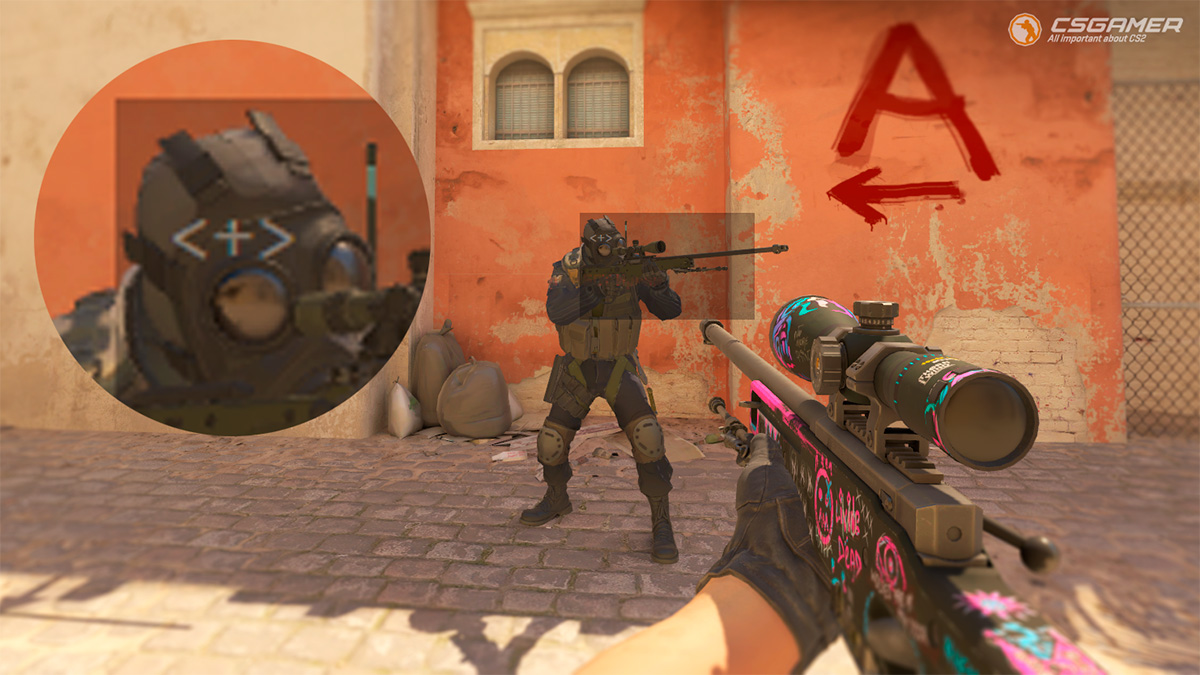
1. Noscope Crosshair via Steam Notes
Steam Overlay’s “Notes” feature lets you create a visual guide for noscoping. This method is safe and doesn’t violate game rules.
Step-by-Step Guide:
- Launch CS2 and enter any practice map.
- Equip any weapon with a default crosshair (e.g., AK-47) to see its screen position.
- Open Steam Overlay with Shift + Tab.
- In the overlay’s bottom menu, click the third icon from the left (pencil icon–“Notes” section).

- Create a new note and enter crosshair symbols: e.g., <+>, x, o.
- Minimize the note window size.
- Drag the note to the center, aligning it with the default crosshair position.
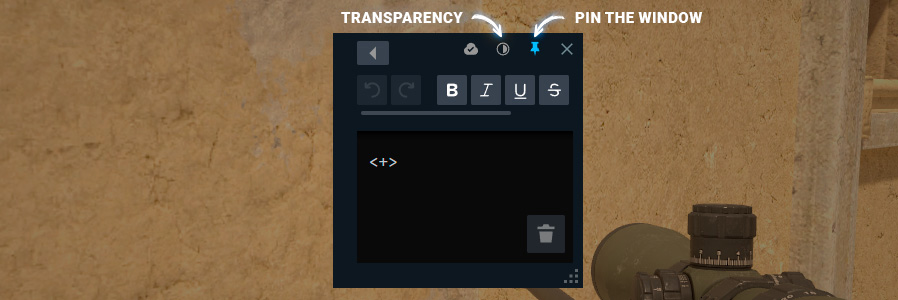
- Pin the window by clicking the pin icon in the note’s top-right corner.
- Set window transparency to 20–40%.
- Close the overlay (Shift + Tab).
Done! You now have a semi-transparent crosshair note. Just fine-tune its position.
- Advantages
- Completely legal way to set a noscope crosshair.
- No need to install any software.
- Easy to enable/disable at any moment.
- Disadvantages
- Impossible to make the notes window even smaller.
- Slight darkening in the crosshair area.
- Not suitable for other types of weapons.

2. Noscope Crosshair Using Software
The program Crosshair V2 (free on Steam) overlays a custom crosshair. It’s CS2-compatible and VAC-safe since it doesn’t interact with the game directly.
Guide:
- Install Crosshair V2 via Steam.
- Launch CS2 and enter a practice map.
- Run Crosshair V2 (runs in the background).
- Configure the crosshair via its menu (open with F2):
- X – Select shape (cross, circle, dot).
- Z – Change color.
- C – Adjust size.
- Close the menu (F2) after setup.
- Disable CS2’s default crosshair via console:
cl_crosshairalpha 0– Makes CS2 crosshair invisible.
Alternative Crosshair Software
For more customization, try the paid Crosshair X (same devs) or similar Steam/internet tools:
- Advantages
- Full crosshair customization (shape/color/size).
- Suitable not only for sniper rifles.
- Works in any mode and game.
- Disadvantages
- Requires software installation.
- Some programs are paid.
- Small risk of getting a VAC ban.
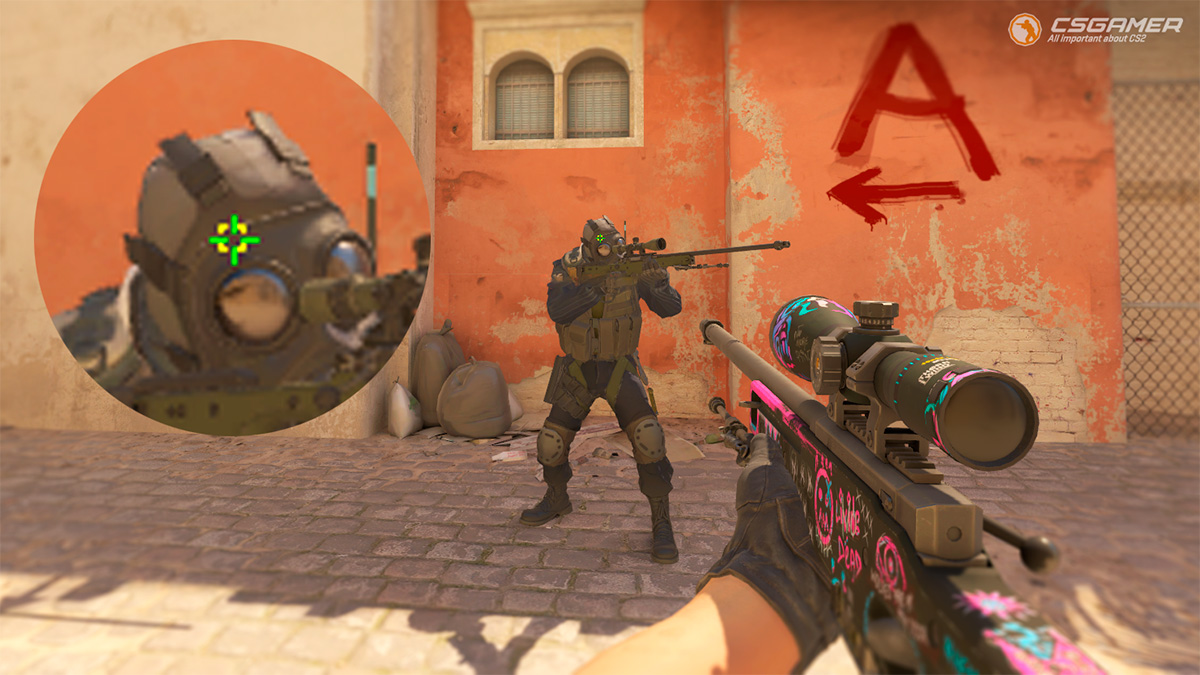
3. Noscope Crosshair via CS2 Console
This only works in modes with cheats enabled (e.g., Practice or Workshop Maps). Ideal for bot practice or AWP no-scope duels.
Steps:
- Launch a CS2 practice match.
- Open console with ` or ~.
- Enable cheats:
sv_cheats 1. - Activate a noscope crosshair:
weapon_debug_spread_show 1– Crosshair type 1:
weapon_debug_spread_show 2– Crosshair type 2:
weapon_debug_spread_show 3– Crosshair type 3:
- Advantages
- Built into the game Counter-Strike 2 (CS2).
- Completely legal console command.
- Works on any weapon in CS2.
- Disadvantages
- Not available in online modes, including Competitive, Premier mode, and other official game modes.
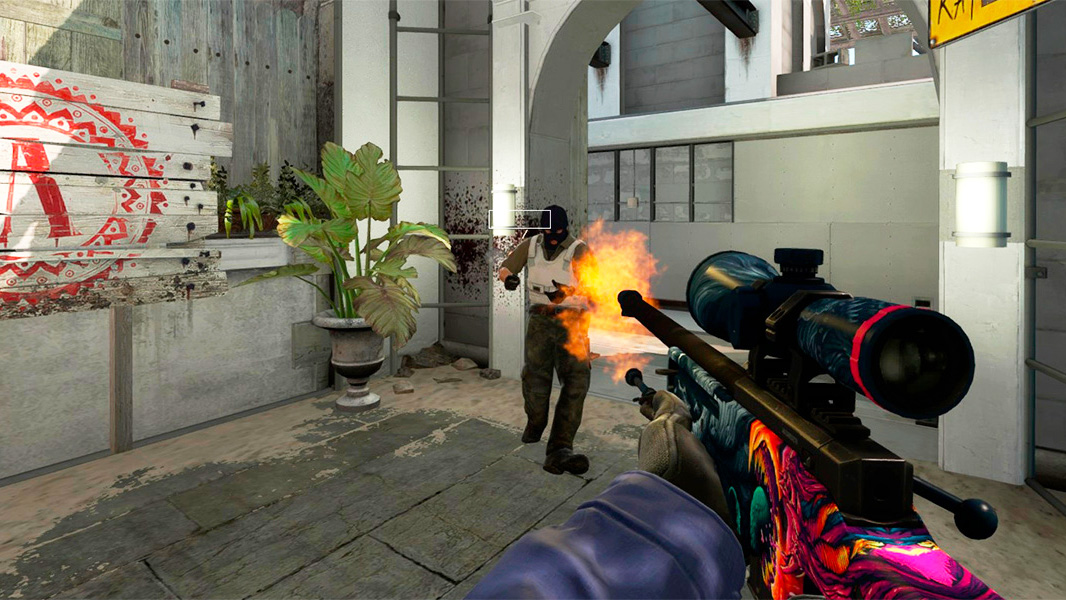
4. Noscope Crosshair via Game Bug
CS:GO had a bug allowing console-based noscope crosshairs by typing text, selecting it, and dragging it off-screen–creating a static rectangle visible after closing the console.
In CS2, this bug is fixed. No working console-based method currently exists.
- Advantages
- Still achievable in CS:GO.
- Completely legal game bug.
- Disadvantages
- Not available in Counter-Strike 2 (CS2).
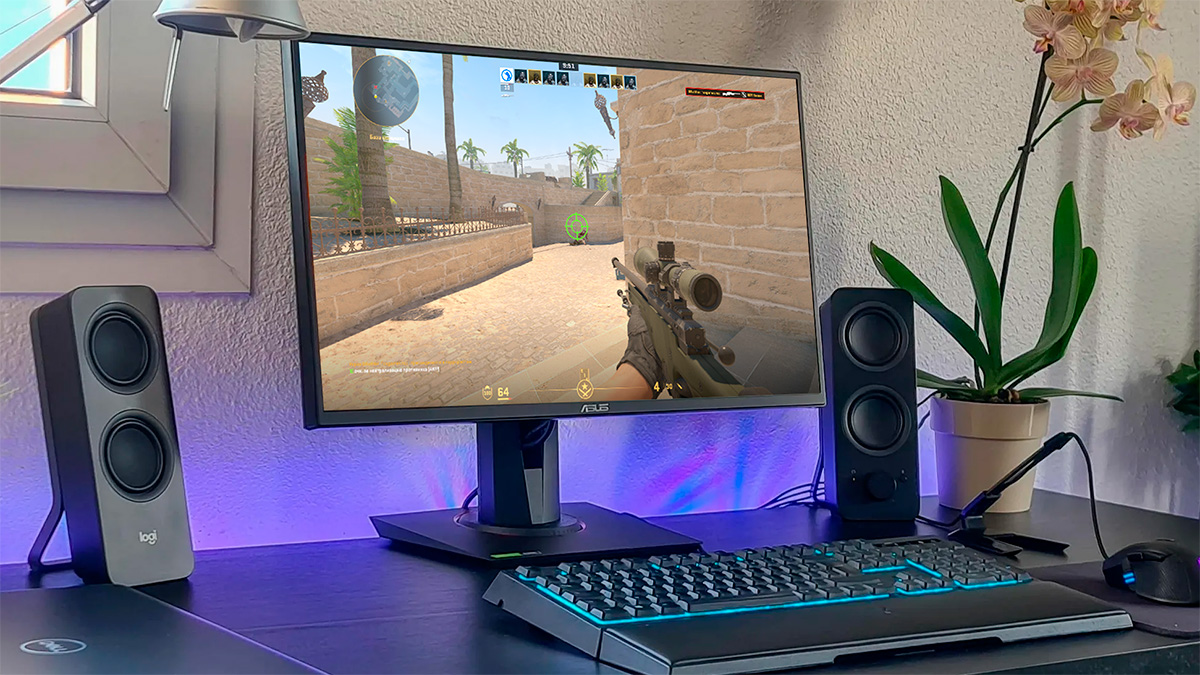
5. Monitor-Built Noscope Crosshair
Many gaming monitors (ASUS ROG, BenQ ZOWIE, Acer Predator, etc.) feature an On-Screen Crosshair function. This is legal since it’s hardware-level, not game-related.
How to Enable:
- Open your monitor’s settings menu (hardware buttons).
- Navigate to Game Settings or Crosshair.
- Select type (cross, dot, circle) and adjust:
- Color (red/green/blue).
- Size (minimal recommended).
- Transparency (50–70%).
- Save settings and test in-game.
- Advantages
- Undetectable = legal way to set a noscope crosshair.
- Available in any game.
- Disadvantages
- Requires a special gaming monitor.
6. “Old-School” Noscope Crosshair
If other methods fail, use a physical marker:
- Apply thin tape or use a dry-erase marker.
- Draw a dot/cross at screen center (align with another weapon’s crosshair).
- Alternatively: attach a small paper piece or plastic overlay with a mark.
- Advantages
- Physical method, making it undetectable and legal.
- Disadvantages
- Makeshift method: difficult to create a truly neat and comfortable crosshair.

AWP, SSG 08, SCAR 20, and G3SG1 Bullet Spread
Even with a perfect noscope crosshair, understanding sniper spread mechanics is crucial. We tested shots at a fixed point (no mouse movement) with these results:
- AWP – First 1–2 shots land near center; subsequent bullets deviate significantly. Miss chance increases with distance.
- SCAR 20/G3SG1 – Tighter spread due to auto-fire. Viable for mid-range bursts.
- SSG 08 – Smallest spread. Bullets stay closer to center even during rapid fire.
CS2 sniper rifles are programmed to fire bullets randomly within a spread circle when unscoped. Circle size increases with distance.
Frequently Asked Questions
weapon_debug_spread_show require sv_cheats 1, disabled on official servers. The old console bug is patched in CS2.- Steam Overlay & monitor crosshair – Allowed (no game interaction).
- Crosshair V2 – Tournament-dependent (check with organizers).
- Console commands – Banned in competitive modes.
- Steam Overlay & Crosshair V2 – Minimal impact (FPS drop unnoticeable).
- Monitor crosshair – Zero impact (hardware-level).
Questions? Ask in the comments.

We have prepared a large list of websites where you can get bonuses such as free cases, skins, or promo codes when topping up.

We compared the price of one skin on various trading platforms to help you choose the most suitable one.

We analyzed case opening sites and compiled a ranking, evaluating them from best to worst based on the quality and profitability of skin drops.