Have you ever wondered why your Trust Factor in CS2 dropped or why you suddenly received a temporary chat ban? In our previous article about commendations, we covered the positive aspects of in-game interaction. But competitive games also have a downside – the report system. If you are being falsely accused of cheating or you encounter a real violator, it’s important to understand how the report mechanism works. In this detailed guide, we will not only explain how to properly report a cheater or toxic player, but also reveal how to find out via Steam who specifically reported you, when it happened, and for what exact reason.
What Is a Report in CS2
A report in Counter-Strike 2 (CS2) is an official complaint against a player who violates the game’s rules. The system collects this data for analysis and takes action against cheaters, toxic players, and griefers. Unlike a commendation, a report is a negative mark that can affect Trust Factor and lead to various penalties.
Important: Each report is reviewed. The CS2 system and moderators analyze the player’s behavior, and sanctions are applied only if a violation is confirmed.
Types of Reports and Corresponding Penalties
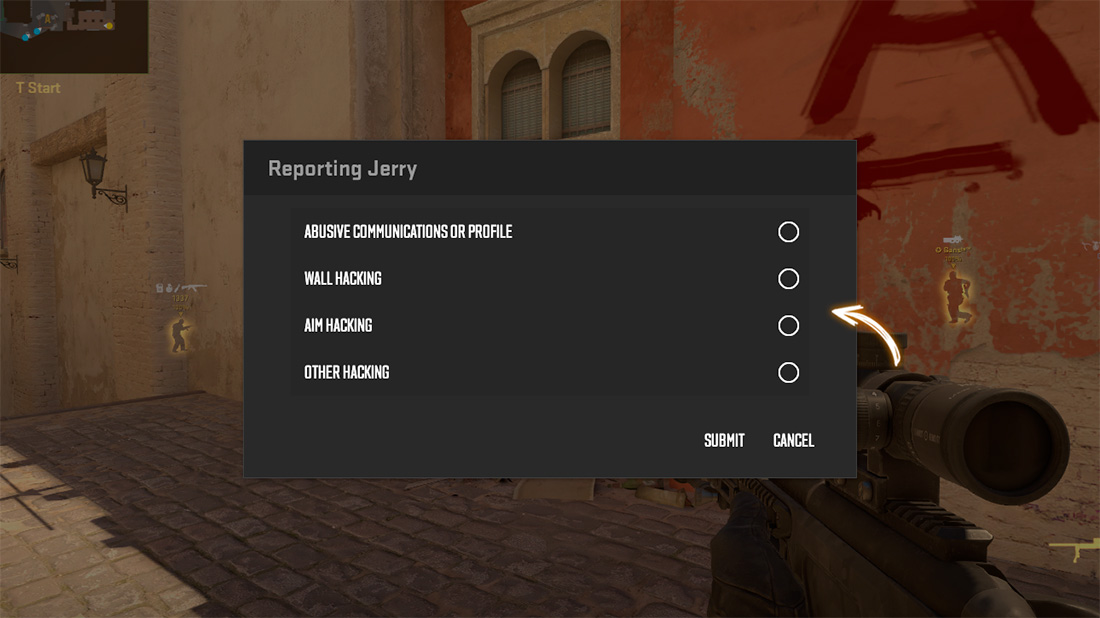
Counter-Strike 2 (CS2) provides several categories of violations. The severity of the punishment depends on the selected reason.
- Abusive Text Chat
Complaints about verbal or text chat abuse, as well as inappropriate names/avatars.
Penalty: Temporary chat ban, possible Trust Factor reduction. - Griefing
Intentionally hindering the team: blocking passages, team killing, dropping weapons.
Penalty: Temporary ban, significant Trust Factor reduction. - Wall Hacking
Using software to obtain information about enemies through walls.
Penalty: Permanent ban in Competitive and Premier modes, trade ban for items. - Aim Hacking
Using software for automatic aiming (aimbots).
Penalty: Permanent ban in competitive modes, inventory lock. - Other Hacking
Other types of unfair play: bunny hopping, speed hacks, etc.
Penalty: Similar to other cheating violations.
How to Submit a Report in CS2
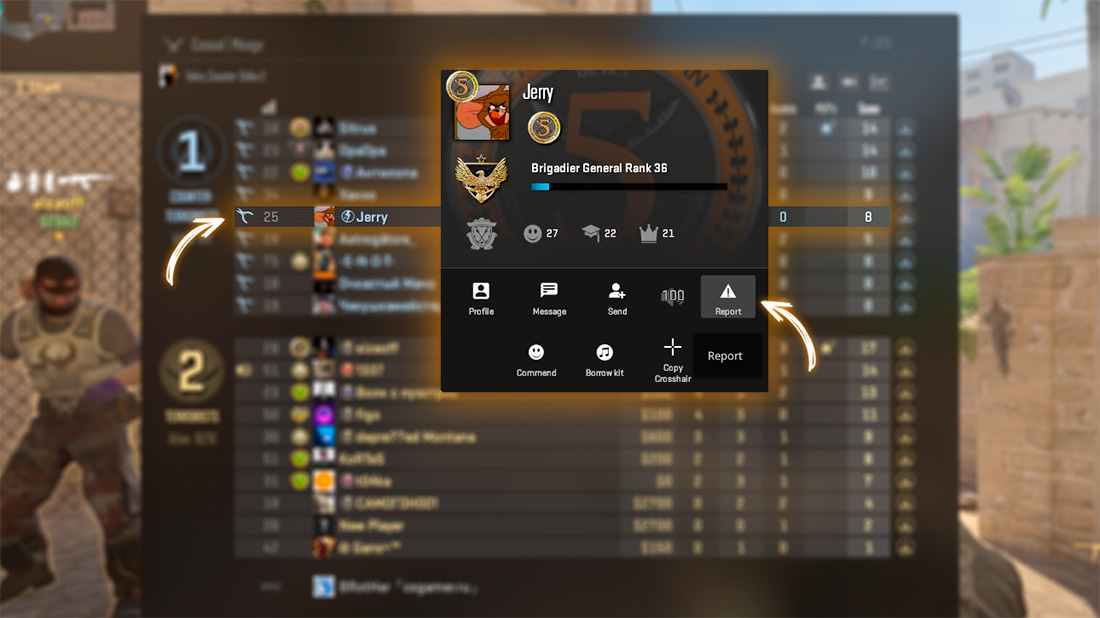
You can only submit a complaint during a match against any participant (teammate or opponent). Here is the exact procedure:
- Press TAB to open the scoreboard.
- Find the offending player and right-click on their avatar or nickname.
- In the mini-profile that appears, select “Report” at the bottom.
- In the dialog box, check the corresponding reasons and click “Submit”.
Remember: Do not abuse the report system. False reports can negatively affect your own Trust Factor. Only report actual violations.
How the system works: Your report is sent to the CS2 analysis system. For serious violations (cheats), the VAC anti-cheat may be involved. In disputed cases (toxicity, griefing), materials may be forwarded to “CS2 Overwatch” – a community of players who evaluate the situation and vote on punishment.
How to Find Out Who Reported Me in CS2
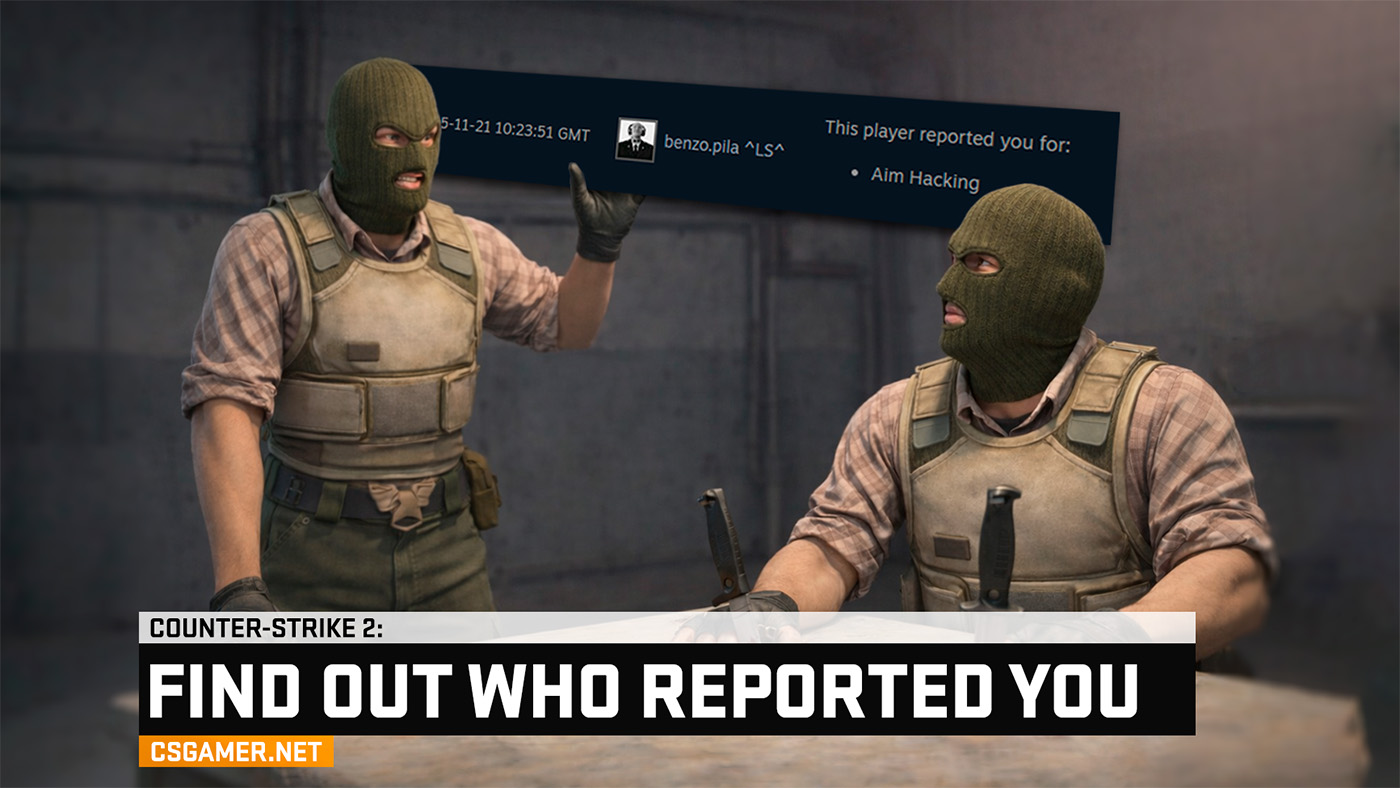
Unlike commendations, reports are not completely anonymous. Through Steam, you can see who exactly reported you and for what reason. Here’s how to access this information:
- Open the Steam client or go to the official website steamcommunity.com.
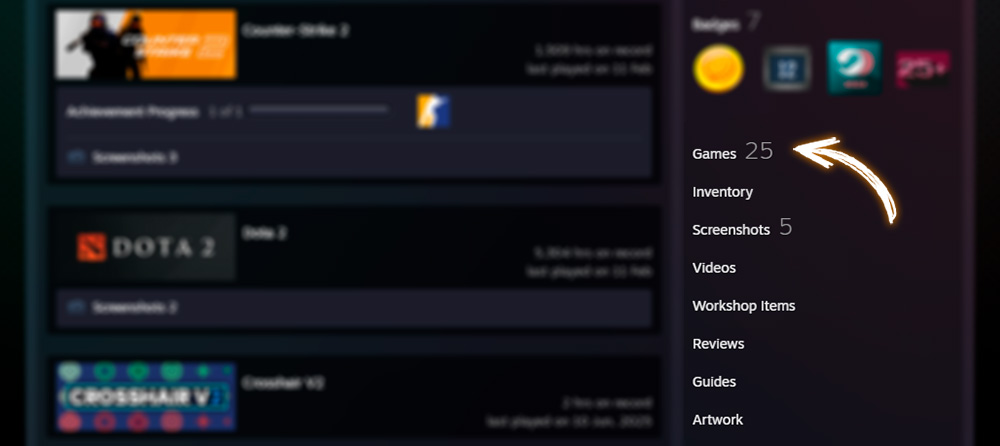
- Log in and go to your profile. In the right menu of your profile, click on the “Games” section.
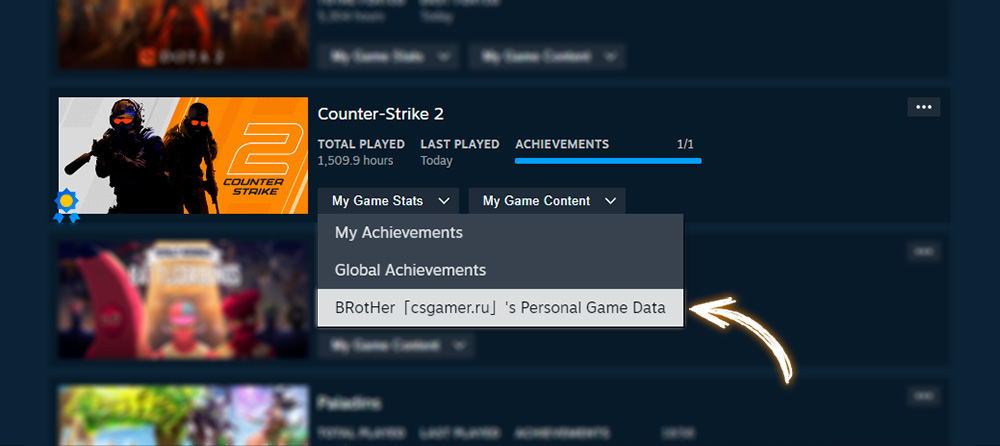
- Find Counter-Strike 2 in the list and click on the “My Game Stats” link. From the dropdown menu, select “[Your nickname]: Personal Game Data”.
- Go to the “Reports” tab.
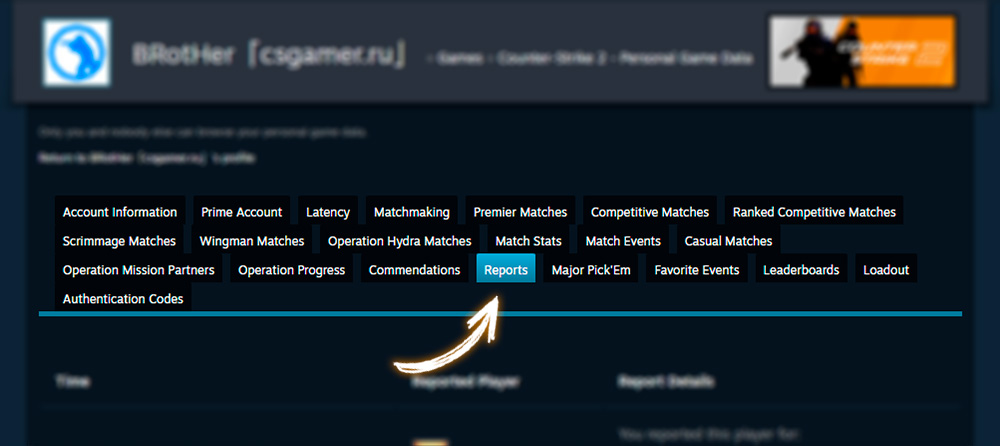
- Here you will see a table: players you have reported, and players who have reported you.
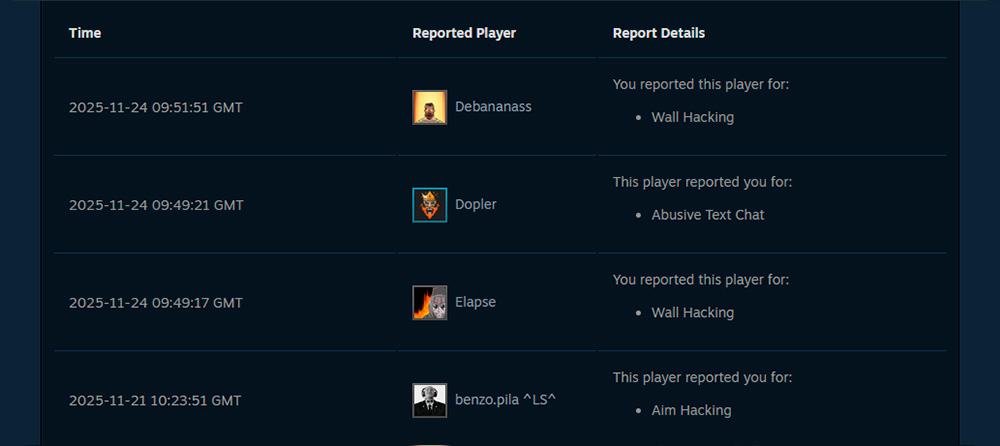
Note: Having reports against you does not mean automatic punishment. If you play fairly, isolated complaints (especially in the cheating categories) will not lead to sanctions. The system analyzes the player’s behavior and statistics.
Each name in the list is a link to a Steam profile. You can go to the profile of the player who reported you to view their statistics or, in case of a false report, add them to your block list.
Report Bots: What Are They and Should You Use Them?
Report bots are third-party services (e.g., Extreme Report Bot or Vedbex) that send mass complaints (10-20 reports) against a selected player. The idea is that a large number of reports in a short time may speed up the review and punishment.
Risks of using report bots:
- Valve negatively views manipulations with the report system
- Possible Trust Factor reduction for the person ordering the service
- In extreme cases – account ban for abusing the system
- Most cheaters use cheap/hacked accounts
Read more about the mechanics and risks in our separate guide on report bots.
Conclusion
- Reports are not anonymous: you can always check who reported you and for what via Steam.
- Use the report system responsibly: false reports harm the entire community and may affect your account.
- Having reports ≠ punishment: the system analyzes evidence, not the number of complaints.
- Report bots are a risky tool: possible negative consequences for your account.
- Improve your gaming experience: if you are regularly reported for toxicity or griefing, perhaps you should reconsider your behavior.
Now you know not only how to report a violator, but also how to check if you are being reported. Use this information wisely and remember that fair and respectful play makes CS2 better for everyone!

We have prepared a large list of websites where you can get bonuses such as free cases, skins, or promo codes when topping up.

We compared the price of one skin on various trading platforms to help you choose the most suitable one.

We analyzed case opening sites and compiled a ranking, evaluating them from best to worst based on the quality and profitability of skin drops.